Top Ways to Troubleshoot a DC EV Charger Malfunction

Time:2026-09-29 Author:Ethan
0%

As electric vehicle adoption accelerates, dependable DC fast charging has become essential for drivers, fleets, and charging operators. The International Energy Agency reported more than 14 million electric cars were sold worldwide in 2023, while public charging infrastructure continued expanding rapidly. More chargers also mean more opportunities for communication errors, cooling faults, payment failures, and connector damage.

A charger can appear operational while delivering no power. That is frustrating. Learning How to troubleshoot a DC EV charger malfunction requires a structured approach, not random resets. Technicians usually begin with visible evidence: a red status light, an error code, unusual fan noise, a warm connector, or a failed vehicle handshake. The charger display, backend platform, and OCPP event logs can then reveal whether the problem involves the vehicle, cable, network, or power system.

Reliability expectations are becoming stricter. The U.S. Federal Highway Administration’s National Electric Vehicle Infrastructure program uses a 97% uptime requirement for funded charging stations. This benchmark shows why accurate diagnosis matters. A short outage affects more than one driver when a site has limited stalls. Industry guidance from the Open Charge Alliance and manufacturer service manuals also emphasizes safe isolation, firmware control, and verified maintenance records.

Not every failure is a hardware failure. A loose connector may look like a software problem. A temporary network outage may resemble a payment defect. This guide examines practical troubleshooting steps, safety boundaries, and escalation methods, while recognizing an uncomfortable reality: some faults remain intermittent and require repeated testing under real charging conditions.
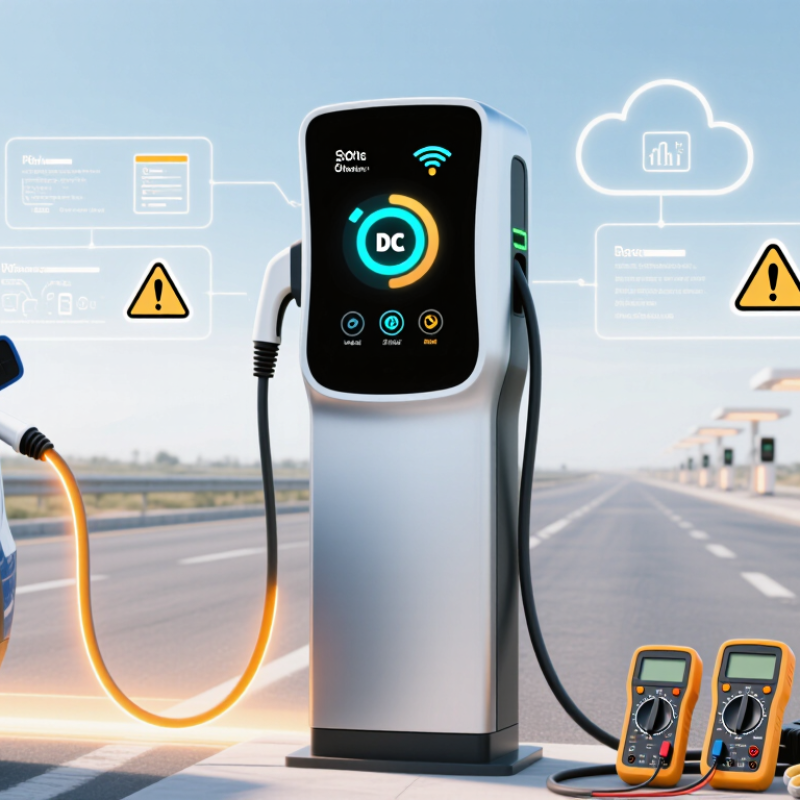
Top Ways to Troubleshoot a DC EV Charger Malfunction

Identify the Symptoms and Confirm the Charger Fault

Check the charger display, status lights, and connector before restarting anything. Note exact messages, blinking patterns, and whether the plug locks. A dark screen, repeated communication error, or connector that will not release can point to different faults. Look for a tripped site breaker only if it is safely accessible. Never open the power cabinet.

Record the time, charger ID, vehicle charge level, and any error code. Check whether the cable or plug feels unusually hot, looks cracked, or has visible moisture. Stop using it if you notice damage or heat. A single failed session is not proof. The vehicle, payment process, or network connection may be responsible instead.

J.D. Power’s 2024 U.S. Electric Vehicle Experience Public Charging Study reported that 19% of public-charging users had been unable to charge during a visit. That makes careful symptom tracking useful, not merely administrative. Try a second compatible dispenser, if available, and see whether the same vehicle charges normally. If several vehicles fail on one dispenser, report its ID and symptoms to the site operator. If your vehicle also fails elsewhere, contact a qualified EV technician. Small details matter. A brief log can still miss an intermittent fault.

Check Power Supply, Connections, and Emergency Stop Controls

Top Ways to Troubleshoot a DC EV Charger Malfunction

Check the power supply

When a DC charger fails to start, check its power supply before assuming the vehicle is at fault. Look for a dark display, unusual indicator lights, or a tripped upstream breaker. Do not open electrical cabinets. If the site has lost power, report the fault to the operator or a qualified technician. Small clues matter. A screen that is lit but frozen may point to a different issue than a completely dark unit.

Inspect the cable and connector

Next, inspect visible cable and connector surfaces for dirt, moisture, bent pins, or damage. Seat the connector firmly and check that the vehicle’s charge port is clear. Never force a connection. A loose fit is easy to miss, and it can be tempting to blame the charger too quickly.

The U.S. Federal Highway Administration’s NEVI minimum standards require charging-port uptime above 97 percent, measured monthly (23 CFR §680.116). That benchmark makes prompt fault reporting useful, even when the cause seems minor.

Check the emergency stop

Check the emergency stop button, too. If it is engaged, follow the charger’s posted reset instructions; do not bypass the control. Some units require an operator reset. If the button is released but charging still will not begin, note the screen message, time, and charger location before contacting support. Details help technicians distinguish a power interruption from a connection or control fault. Be patient, but not careless.

Inspect Charging Communication and Vehicle Compatibility

When a DC EV charger stops mid-session, inspect communication before replacing hardware. The IEA’s Global EV Outlook 2024 reports over 14 million electric cars were sold worldwide in 2023, representing about 18% of new-car sales. That growth increases the chance of mismatched vehicles, connectors, and software versions.

Check the connector for bent contacts, moisture, or dirt. Confirm that the vehicle accepts DC charging, not only AC charging. Compare its maximum voltage and current with the charger’s output range. A vehicle may connect successfully but reject power because the battery is too cold, too hot, or nearly full. It happens.

Watch the charger display during the handshake. Repeated errors involving authorization, insulation, or communication can indicate a protocol problem. International charging standards, including ISO 15118 and related control requirements, define how the vehicle and charger exchange limits and safety signals. The U.S. Department of Energy’s Alternative Fuels Data Center also tracks charging equipment by connector and power type, showing why connector appearance alone cannot confirm compatibility.

Try another approved connector, then reboot the session without repeatedly forcing the plug. Record the error code, battery state of charge, ambient temperature, and exact timing. This evidence helps separate a vehicle-side fault from a charger-side fault. Firmware updates may resolve communication failures, but updates should follow the operator’s documented process. Guesswork can damage trust, and occasionally the first diagnosis is wrong.

Top Ways to Troubleshoot a DC EV Charger Malfunction - Inspect Charging Communication and Vehicle Compatibility

Observed issue What to inspect Possible cause Recommended action
The connector will not lock or the session will not start Check that the connector type matches the vehicle inlet, the plug is fully inserted, and the inlet and connector are free of visible debris or damage. Connector incompatibility, incomplete insertion, a damaged latch, or an inlet obstruction. Reconnect according to the vehicle instructions. Do not force the plug. Try a compatible connector or contact the charging-site operator if damage is visible.
The charger reports a communication or handshake error Confirm the vehicle and charger support the same DC charging connector and communication protocol. CCS charging commonly uses power-line communication; CHAdeMO uses CAN communication. Protocol or connector mismatch, a temporary communication fault, or an issue with the vehicle inlet or charger cable. Check the vehicle manual and charger instructions for compatibility. End the session, disconnect safely, and retry once. If the error repeats, try another compatible charger and report the fault.
The session starts but charging stops shortly afterward Read the vehicle and charger messages; check for a session timeout, failed authorization, interrupted connection, or vehicle-side charging limit. Authorization interruption, lost communication, a protection response, or a vehicle setting that prevents charging. Follow the charger’s displayed steps, verify the vehicle is ready to charge, and restart the session. Record any error code for the vehicle service provider or charging operator.
Charging begins at a much lower power than expected Check the vehicle’s displayed battery state of charge and temperature, the charger’s rated output, and any power limit shown on either screen. The vehicle may limit power because the battery is cold or nearly full; the charger may also share or limit available power. Allow the battery to warm or cool as directed by the vehicle, and consider charging at a lower state of charge. Remember that advertised maximum power is not guaranteed throughout a session.
The vehicle does not accept the charger’s voltage or current range Compare the vehicle’s supported DC charging specifications with the charger’s stated output range and the limits displayed during negotiation. The vehicle and charger may have different operating ranges, or the vehicle may be applying a battery protection limit. Use a charger confirmed to support the vehicle’s requirements. Do not use adapters unless both the vehicle and charger documentation explicitly permit them.
The charger displays an emergency-stop or isolation fault Check for an activated emergency-stop button or a visible safety warning, following the site’s posted instructions. A safety shutdown or electrical protection condition has been detected. Stop using the unit and notify the site operator. Do not open the charger enclosure, reset internal equipment, or touch damaged cables.
The same error occurs after reconnecting Note the charger location or unit number, time, error message, connector type, and vehicle model; determine whether the issue repeats on another compatible unit. A persistent vehicle-side fault, charger-side fault, or compatibility issue requires technical diagnosis. Share the recorded details with the charging-site operator or vehicle service provider. Avoid repeated attempts if the connector, cable, or inlet appears damaged.

Safety note: Only perform external checks described in the vehicle or charger instructions. Do not handle exposed conductors or attempt repairs on energized charging equipment.

Test Cooling, Safety Systems, and Visible Hardware Damage

Top Ways to Troubleshoot a DC EV Charger Malfunction

Check the charger’s cooling first. Look for blocked vents, dust buildup, or a fan that stays silent during operation. A hot cabinet or repeated temperature warning can signal poor airflow or a failing cooling component. Stop charging if the unit overheats. Do not remove panels; internal components may retain dangerous voltage. Note any displayed fault code and when it appeared. Small details help a qualified technician narrow down the cause.

Inspect safety indicators and visible hardware without touching exposed parts. Look for cracked connector housings, frayed cable insulation, bent pins, loose covers, or water inside the charging area. Check whether an emergency-stop button appears engaged, but follow the site’s operating instructions before resetting anything. Never bypass an interlock or protective device to resume charging. If you see damage, smell burning, or hear unusual electrical buzzing, keep the charger out of service and report the specific symptom. A quick visual check is useful, but it cannot confirm that hidden parts are safe.

Reset the Charger and Escalate Persistent Faults Safely

When a DC fast charger stops mid-session, pause before trying again. Read the display and note any fault code or warning. Check for visible cable damage, a loose connector, unusual heat, smoke, or a burning smell. Do not touch exposed components or open the charger cabinet. Stop the session if anything looks unsafe. Let it cool. Follow the charger’s posted instructions to end the session and disconnect the vehicle safely.

Use only the reset procedure approved for that charger, and try it once. Wait for the screen to show that the unit is ready before reconnecting. In practice, the screen can be less clear than it should be, so record the exact message and time. If the fault returns, or the charger will not restart, stop troubleshooting. Share the error code, session details, and any visible symptoms with the site operator or a qualified service technician. Do not repeatedly cycle power or attempt an internal repair. If you notice smoke, sparking, or a strong burning odor, move away and alert site staff immediately.

FAQS

What should I check when a DC charger will not start?

Check whether the display is dark, frozen, or showing warning lights. Look for an apparent power interruption, but do not open electrical cabinets. Report faults to the site operator or a qualified technician.

What should I inspect on the charging cable and connector?

Look for dirt, moisture, bent pins, cracked housings, or frayed insulation. Make sure the vehicle’s charge port is clear. Seat the connector firmly, but never force it.

Could the vehicle and charger be incompatible?

Yes. Confirm that the vehicle supports DC charging and that its voltage and current limits match the charger’s range. A connector that fits does not guarantee compatibility.

Why might charging stop even after the connector is accepted?

The battery may be too cold, too hot, or nearly full. Communication or authorization errors can also interrupt charging. The first clue can mislead.

What should I do if an emergency stop appears engaged?

Follow the charger’s posted reset instructions. Some units require an operator reset. Never bypass an emergency stop or other protective control.

What details should I record before contacting support?

Note the error message, time, charger location, battery charge level, and outdoor temperature. A clear photo of visible damage can help. Take it from a safe distance.

How can I recognize a possible cooling problem?

Check for blocked vents, dust buildup, or a fan that stays silent during operation. Stop charging if the unit overheats. Do not remove panels.

When should I stop using the charger?

Stop if you see damaged cables, water inside the charging area, or signs of overheating. Burning smells or unusual buzzing also need attention. Keep the unit out of service and contact trained personnel.

Conclusion

How to troubleshoot a DC EV charger malfunction begins with identifying clear symptoms, such as failed charging, unexpected shutdowns, warning messages, or abnormal sounds. Confirm whether the issue affects one vehicle or multiple vehicles, then check the power supply, circuit protection, cable connections, and emergency stop controls. Loose plugs, interrupted power, or an activated stop button can often explain a charging failure.

Next, inspect communication between the charger and vehicle, including connector condition and compatibility with the vehicle’s charging standard. Check ventilation, cooling components, safety sensors, and the cabinet for visible damage, overheating, moisture, or obstruction. After basic checks, perform a safe reset according to the equipment’s instructions and test the charger again. If the fault remains, do not bypass safety controls or open hazardous electrical sections. Record error messages and operating conditions, isolate the equipment if necessary, and contact a qualified service professional for further diagnosis and repair.

Ethan

Ethan

Ethan is a seasoned marketing professional with a deep expertise in our company's innovative product line. With a passion for sharing knowledge and insights, he takes the lead in regularly updating our corporate blog, where he explores industry trends, product features, and effective marketing......